




Installment purchase method
How to Purchase in Installments:
✅ 1. Fill out the purchase form with your details and the necessary information accurately for the verification and credit assessment process.
✅ 2. Purchase Process: Selecting the Product:
- Choose the product you want from any Facebook / Instagram page or online store.
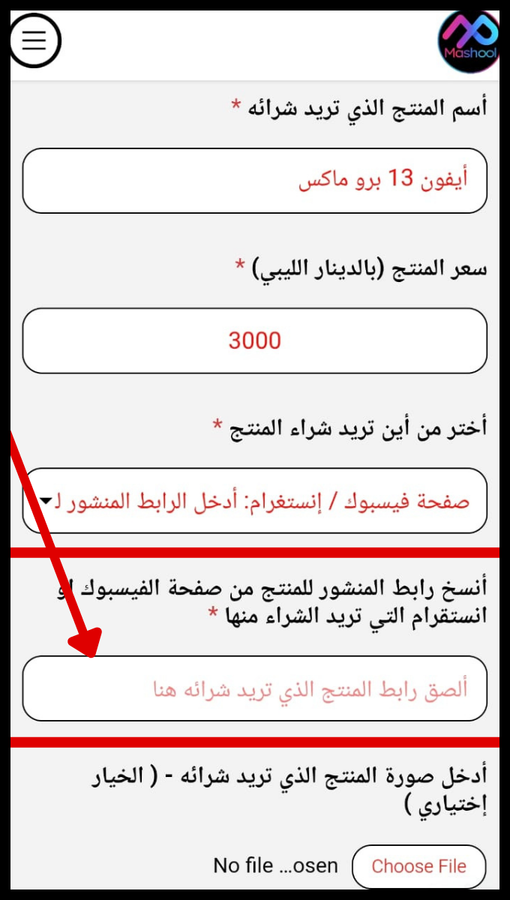
- Then copy the product link from the page where you want to make the purchase and paste it into the purchase form field.
- Then select the payment plan you want to use (3, 4, or 6 installments).
The purchase process is illustrated below:
1️⃣ First: Go to the Facebook page or business where you want to make your purchase.
Then click on the three dots shown in the image from the Facebook page post.
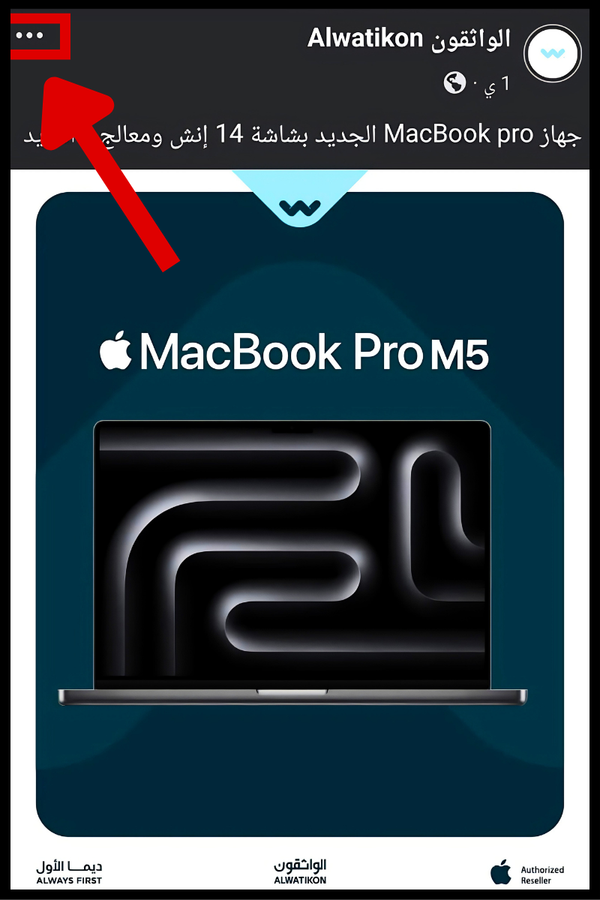
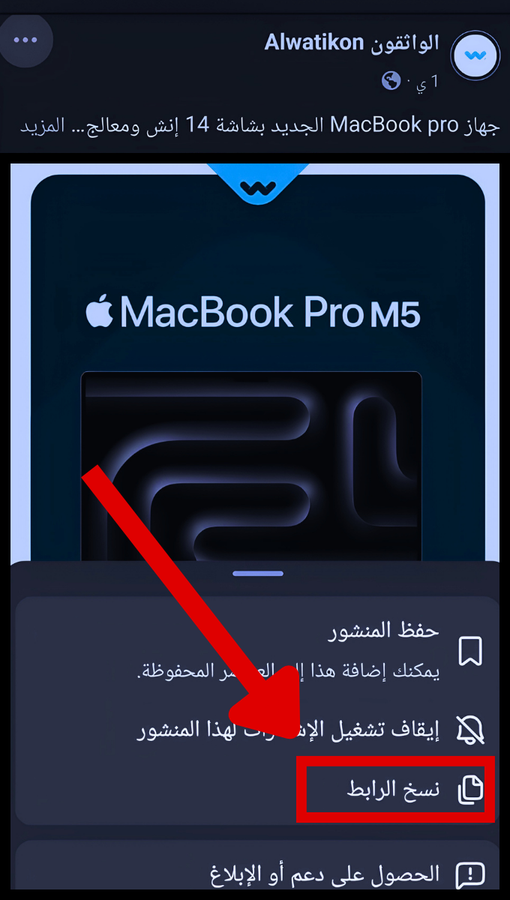
2️⃣ Second: You’ll see the “Copy Link” option shown in the image. Click it, and you’ll have copied the link to the product you want to buy.
3️⃣ Third: Paste it into the installment purchase form field shown in the image.
4️⃣ Fourth: After you have completed the installment purchase form, click on “Submit Purchase Form.”
- Note:
- “After submitting your application, the Mashool team will review your information for your purchase request.”
- The review and credit check process for your purchase request takes approximately one week.
- Your purchase request will then be approved or declined based on your bank’s credit limit.
- If your purchase request is approved, the company will contact you to complete the procedures for purchasing your product in installments.
✅ 3. Flexible Payment Options
- Clear and simple terms with no guarantor required.
- No hidden interest or usurious transactions 👍 / 100% halal.
✅ 5. Automatic monthly installment deduction
- Every month, on the specified date, the installment is automatically deducted from your account.
- You’ll receive a reminder message 3 days before the deduction.
- You’ll receive a confirmation message after the successful deduction.